Official CodeSandbox Website
Open the main CodeSandbox site to confirm whether the core domain is reachable.
Live Domain Check
Check if CodeSandbox is down right now (codesandbox.io). Run a live multi-region check to see whether CodeSandbox is offline for everyone or just you.
Get official CodeSandbox outage status updates, support links, and targeted troubleshooting steps in one page.
Checking reachability from multiple regions.
CodeSandbox incidents usually begin with API instability, delayed webhook processing, or dashboard actions that stall.
For CodeSandbox, early outage signals often show up as webhook delivery, build/deploy triggers, and documentation edge caching before a full failure. If results are mixed, use the website outage triage guide, the HTTP status codes guide, and the DNS troubleshooting guide to isolate provider incidents from local network issues.
Use these links to quickly check CodeSandbox availability, review support resources, and verify outage updates.
Open the main CodeSandbox site to confirm whether the core domain is reachable.
Check for official service status updates, maintenance notices, and incident posts for CodeSandbox.
Find support documentation or contact paths for CodeSandbox when issues persist.
Monitor real-time social updates and official posts related to CodeSandbox outages.
For developer-impacting issues on codesandbox.io, official CodeSandbox social channels often share rollback windows and incident progress.
Use these service-specific patterns to identify likely root cause quickly and choose the right next step.
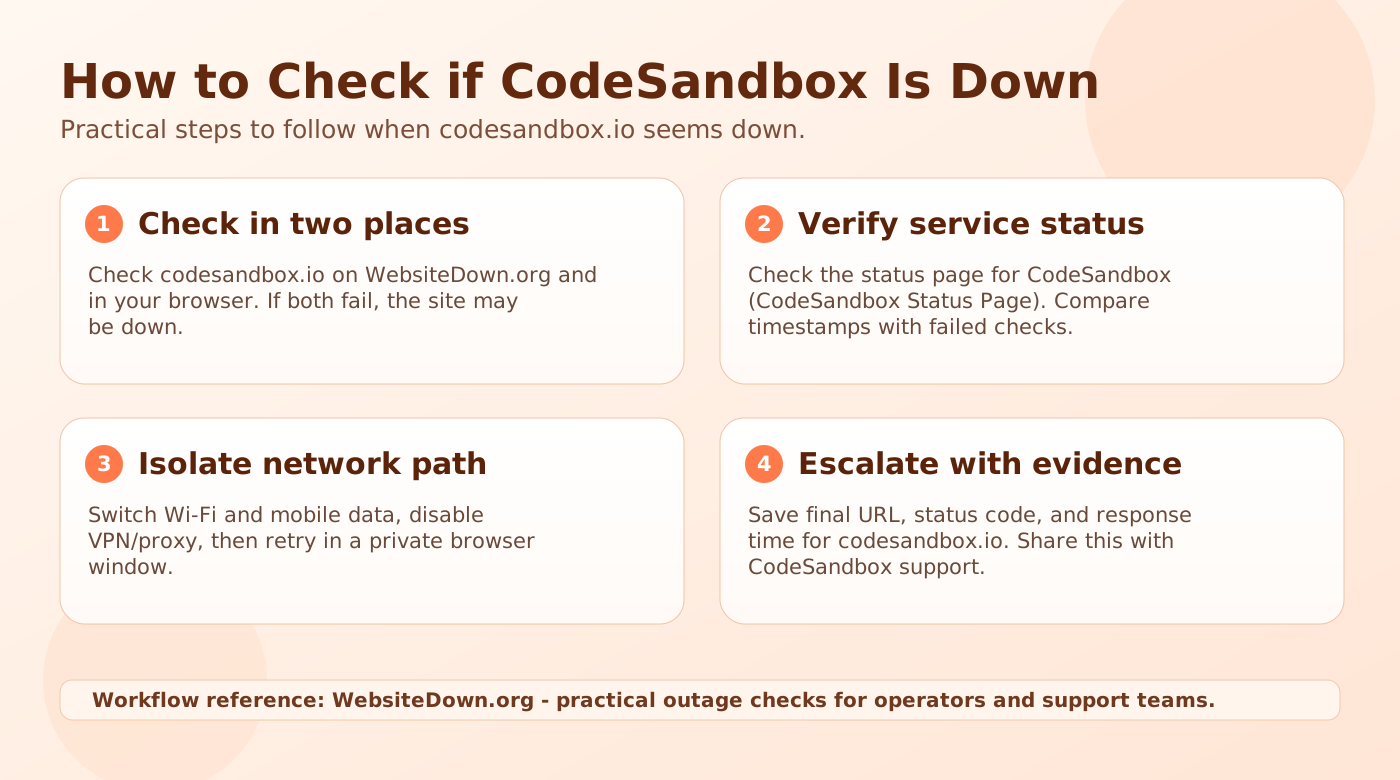
Practical steps to follow when codesandbox.io seems down. Use this checklist to confirm whether CodeSandbox is down for everyone or only for you.
Run codesandbox.io in WebsiteDown.org first, then open codesandbox.io in your own browser. If both checks fail at the same time, CodeSandbox is likely down beyond your local device.
Check the official CodeSandbox service status page and compare timestamps with your failed checks.
Test related hosts such as www.codesandbox.io. If they work while codesandbox.io fails, this points to a partial endpoint issue.
Capture final URL, status code, and response time for codesandbox.io, then share those details with CodeSandbox support for faster triage and recovery.
Use these local troubleshooting steps after the down-check workflow when CodeSandbox seems broken only for you. This section focuses on app, browser, account, and network fixes.
Open codesandbox.io in your current browser, then test in a private window or second browser. If only one session fails, the issue is usually local cache, cookie, or extension state.
Sign out and sign back in one time, then retry the failing action on codesandbox.io. Avoid repeated password or security resets until you confirm this is not a broader CodeSandbox issue.
Temporarily disable VPN, proxy, private DNS, and filtering extensions. Then switch between Wi-Fi and mobile data to isolate route-level differences.
Save timestamp, device, network type, exact error, final URL, and status code. Use the check workflow above before contacting CodeSandbox support.
Run the automatic multi-region check on this page for codesandbox.io. If most regions fail at the same time, CodeSandbox is likely experiencing a broader outage or partial incident.
If only one or two regions fail, the issue is usually local to your network path (DNS resolver, ISP route, VPN/proxy, or firewall). Re-check after 2 to 5 minutes and compare Wi-Fi with mobile data.
Use the Status, Support, and Live Update Links section above. Start with vendor status and support sources, then compare with live social updates.
Official status dashboards are authoritative but can lag during the first minutes of an incident, so combining both sources gives faster signal.
That pattern usually points to route-specific or account-specific issues rather than a global outage. Common causes include:
Test from a second network and capture the exact error code before resetting credentials.
Use this sequence for codesandbox.io: